HVAC Website Design That Wins the Emergency Call
What decides whether an HVAC site gets the call when a system dies: your Google Business Profile, a page that loads fast on a phone, one tap to call, and what happens right after someone reaches out.
An HVAC website has a narrow job. Somebody’s AC just quit, the house is hot, and they have three tabs open. The company that gets the call is the one whose page loads fast, shows it works in their town, and makes calling take one tap. Then it is the one that gets back to them first. Almost everything else on a typical contractor site is decoration.
This guide is for owners in Brevard County who want their site to win that moment. It covers the four things that decide the click, and the part most sites skip: what happens after someone reaches out.
The four things that decide it
1. Your Google Business Profile does a lot of the work
When someone searches for AC repair near them, the map results sit at the top of the page. Your Google Business Profile is what shows up there, not your website. Google says what decides those results:
“Local results are mainly based on relevance, distance, and popularity.” And: “More reviews and positive ratings can help your business’s local ranking.”
Source: Google Business Profile Help, “Tips to improve your local ranking on Google”. Checked October 6, 2026.
So fill in every field. Pick the main category that matches the work you want most. Keep your hours true, including what you do after hours. Add real photos of your trucks, your crew and your work. And ask every customer for a review once the job is done.
2. Speed, because the visitor is on a phone in a hot house
Google’s guidance for site owners is that the main content of a page should show up within 2.5 seconds of the page starting to load. If yours misses that on a phone, the usual cause is a huge photo at the top of the page and a stack of add-on scripts: chat widgets, trackers and pop-ups.
Source: web.dev (Google), “Web Vitals”: “LCP should occur within 2.5 seconds of when the page first starts loading.” Checked October 6, 2026.
You can test your own site for free with Google’s PageSpeed Insights. Look at the phone result, not the desktop one. That is the screen your next emergency customer is holding.
3. Show where you really work
Name the towns you actually drive to, from Palm Bay to Titusville or whatever your real area is. Then prove it with real jobs: a photo, the town, and what you fixed. A short line like “New condenser in Viera, same day” says more than a paragraph about quality.
What does not work is a stack of near-copies of one page with the town name swapped. Google’s spam rules name this directly. Their list of doorway abuse includes “Creating substantially similar pages that are closer to search results than a clearly defined, browseable hierarchy.” One honest service-area page with real jobs on it beats twelve thin ones.
Source: Google Search Central, “Spam policies for Google web search”, doorway abuse. Checked October 6, 2026.
4. One tap to call, and a form that works on a phone
A phone number saved as a picture, a form with eleven boxes, or a chat bubble sitting on top of the call button: each one can lose a job you had already won. Put the call button at the top of every page on a phone. Keep the form short: name, phone, town, and what is wrong. You can ask the rest when you call back.
What happens after they reach out
This is where a good site can still lose the job. A homeowner fills in your form at 9pm. You are off the clock, or on a roof, or with another customer. If nothing comes back, they call the next tab.
A lead path that holds up has three parts:
- An automated reply right away. A text or email that says you got the request and when to expect a call, so the homeowner knows someone has it.
- Follow-up that keeps going. If they do not pick up when you call, automated follow-up keeps the door open until they book or say no.
- Every lead tracked to a job. Each request is tagged with where it came from, so you can see which page, ad or listing turned into sold work, and which did not.
That is the part we set up and run. The replies and follow-up are automated. You and your team still do the calling and the selling.
What we have built so far
We do not have an HVAC client yet, and this page will not pretend we do. We built the brand, the site and the quote page for The Attic Monkeys, an insulation company in South Brevard. It works the same way an HVAC shop does: crews sent to homes, quotes given on site, and a homeowner comparing a few tabs. It opened with no name, no site and no reviews. By August 2026 it held the top spot in Google’s local map pack for “attic insulation melbourne fl.”
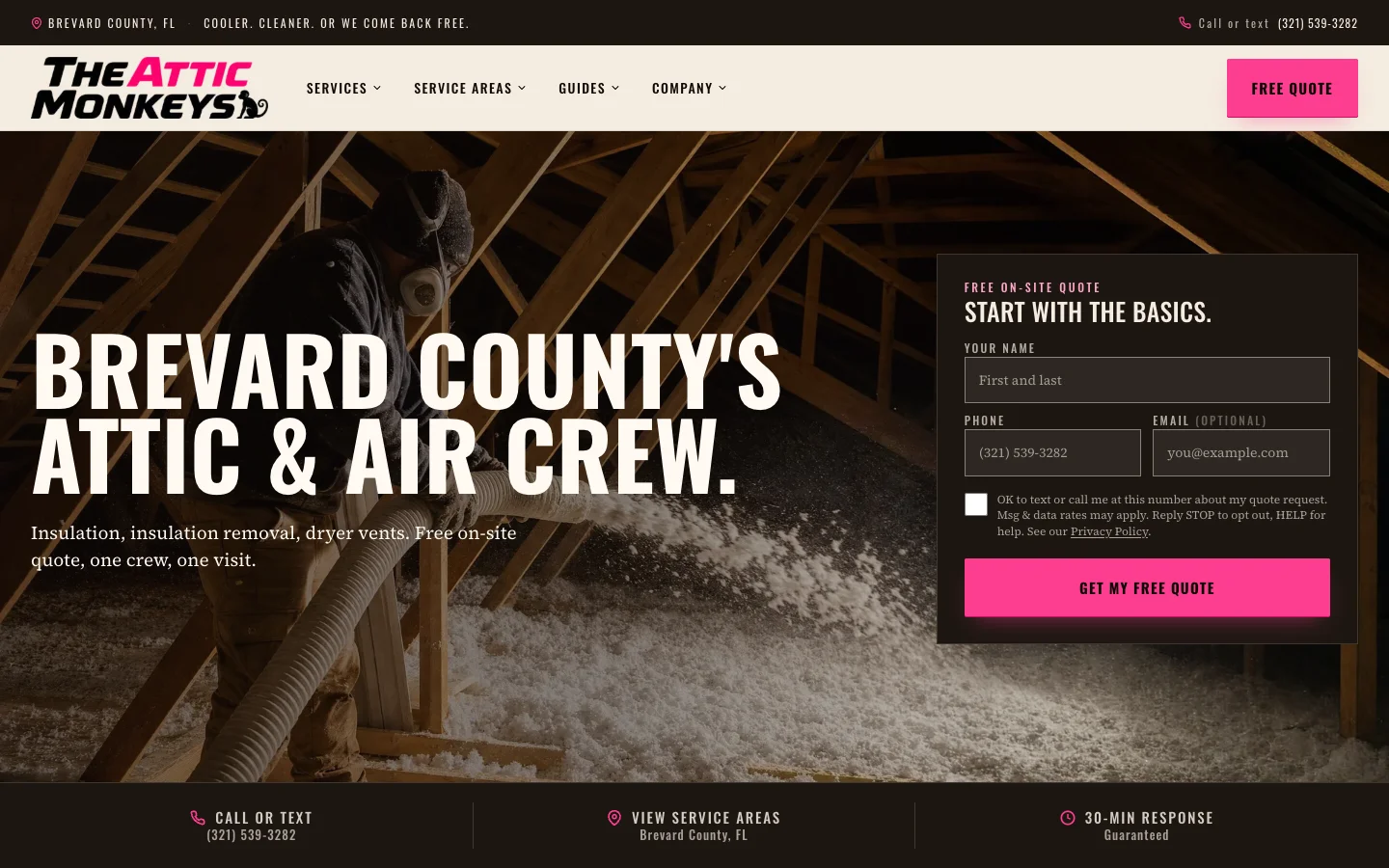
The way that site and quote page work carries over to HVAC. The license rules do not. We build to what your license covers, and we do not decide that for you.
HVAC website design FAQ
What matters most on an HVAC website?
A complete Google Business Profile, a page that loads fast on a phone, real jobs in the towns you serve, and a call button one tap away on every page. Then a fast automated reply and steady follow-up, so a request at night still turns into a booked visit.
How fast should an HVAC website load?
Google’s guidance is that the main content should show up within 2.5 seconds of the page starting to load. Emergency searches happen on a phone, so the phone result is the one that counts.
Do I need a separate page for each town I serve?
Not as copies with the town name swapped. Google lists pages like that under doorway abuse in its spam rules. One honest service-area page that names your towns and shows real jobs in them is the safer and more useful choice.
Where are your after-hours calls going?
Answer a few questions about how leads reach you now, and see your own system map, stage by stage.
Get your free system map →Related
Start here
For the full picture, read the pillar guide: Home Services Website Design That Books Jobs.